X (Twitter) · Guide
How to See All Replies to a Tweet on X
The timeline shows you a ranked sample. Here's how to get the whole thread.
By Alex P ·Published August 14, 2026·7 min read
Short answer: X ranks replies by relevance and rate-limits how many load, so scrolling never gives you the complete thread — and Premium doesn't change that. For a full export, use the free X Replies Scraper extension, or FetchLayer's X API to page through it in code.
- Fields per reply
- 8
- X Premium
- Not required
- Official X API
- $0.005 / read
- FetchLayer
- $0.00199 / request
Every option compared
Pricing as of August 2026.
| Method | Complete thread? | Cost | Ordering | Export | Best for |
|---|---|---|---|---|---|
| Scrolling the post on X | No — rate limited | Free | Ranked by relevance | None | Small threads |
| X Premium | No — same limits apply | Monthly subscription | Ranked by relevance | None | Posting, not research |
| X Replies Scraper (Chrome) | Yes | Free to install | Full reply set | CSV or JSON | One-off exports, no code |
| Official X API | Yes | $0.005 per post read | Full reply set | JSON (you build it) | Funded production apps |
| FetchLayer X API | Yes | $0.00199 per request | Full reply set | JSON | Monitoring, AI agents |
Why scrolling never gets you there
Two mechanisms stack against you. First, the default "Most relevant" sort is a ranking, not a listing — it decides which replies deserve your attention. Second, and independently, X rate-limits how many replies the interface will load in a session, which bites hardest on exactly the high-engagement posts you most want to read.
Switching the sort to "Latest" fixes the ordering but not the loading cap. So on a post with thousands of replies, patient scrolling still leaves you with a partial, algorithmically-chosen sample — which is fine for browsing and disqualifying for research, support triage, or brand monitoring.
What the official API costs now
X restructured developer access in February 2026. The Basic tier that used to cost $200 a month is closed to new signups, and new developers are placed on pay-per-use billing at $0.005 per post read, hard-capped at 2 million post-reads per month. For reply-thread work that adds up quickly, since every reply is a post read. It's a reasonable deal for a funded product with an ongoing integration, and heavy machinery for someone who wants the replies to one post.
Exporting a thread in four steps
- 1
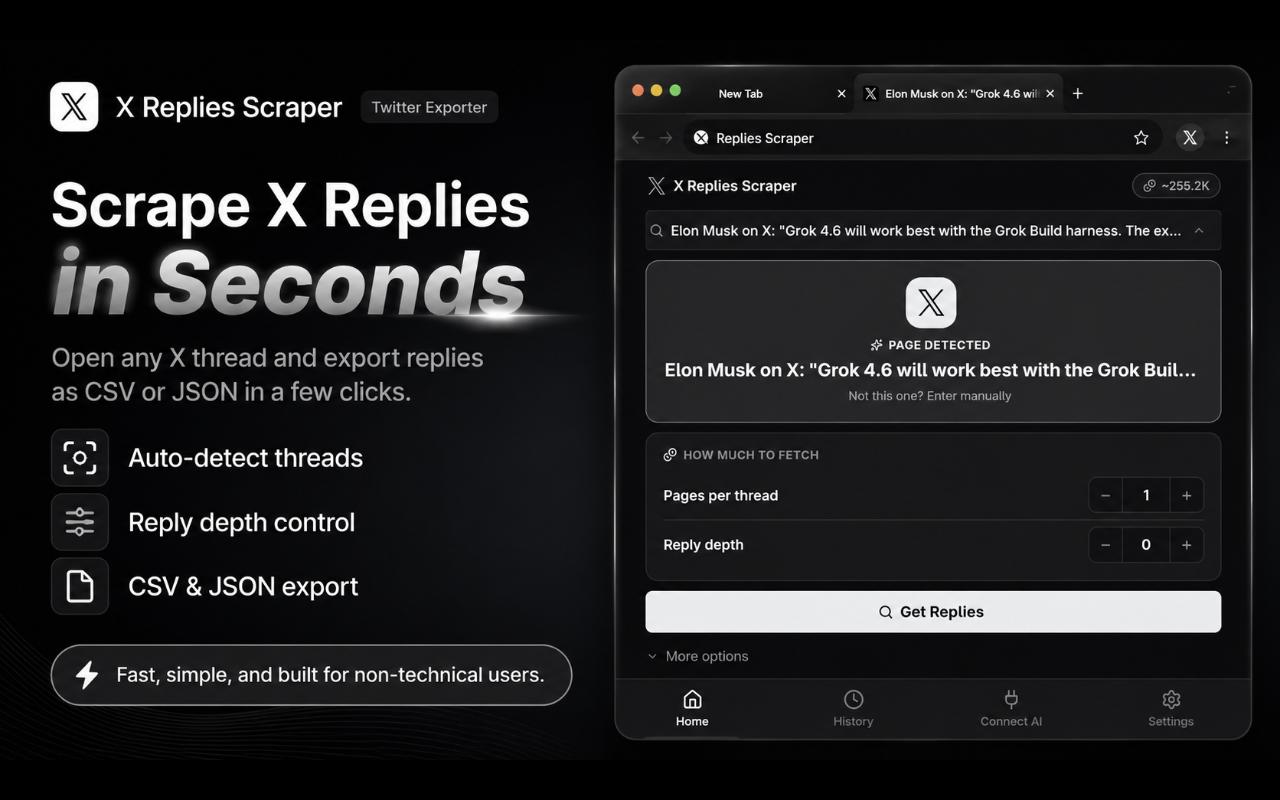
Install X Replies Scraper
Free on the Chrome Web Store. No X Premium subscription and no developer account.
- 2
Open it on any public post
Paste the post URL, or let the panel auto-fill when you're already viewing the post on X.
- 3
Set your limit
Choose how many replies to pull. The extension pages through the thread rather than stopping where the timeline stops loading.
- 4
Export to CSV or JSON
Download the eight fields below, including timestamps and engagement counts, so you can sort chronologically instead of by relevance.
What the export contains
id,handle,displayName,createdAt,likeCount,retweetCount,replyCount,text
1823447102934,@sarah_ops,Sarah Okafor,2026-08-05T14:02:11Z,1204,88,42,"This is the first pricing change that actually helps small teams."
1823447891201,@devon_hq,Devon R.,2026-08-05T14:09:37Z,318,12,7,"Does this apply to existing annual plans or new signups only?"
1823448334019,@lin_builds,Lin,2026-08-05T14:15:52Z,96,3,1,"Existing annual plans too — confirmed in their changelog."
1823449002877,@grumpy_cto,anon cto,2026-08-05T15:41:20Z,2,0,0,"Still cheaper to self-host honestly."| Field | What it holds |
|---|---|
id | Reply tweet ID |
text | Full reply text |
author.handle | Author handle, e.g. @sarah_ops |
author.displayName | Author display name |
createdAt | ISO 8601 timestamp — what lets you rebuild true chronological order |
likeCount | Likes on the reply |
retweetCount | Reposts of the reply |
replyCount | How many replies the reply itself received |
Sorting this file by createdAt gives you something the X interface will not: the conversation in the order it actually happened.
What a full reply set is good for
Brand monitoring
Export replies to your own announcements. Support issues and objections routinely sit below the ranking cutoff, which is exactly where the useful feedback hides.
Competitor launches
Pull the reply thread on a competitor's launch post for unfiltered reaction, rather than the handful of quote-posts the algorithm amplified.
Support triage
Large threads bury genuine problems under jokes. A full export is searchable and filterable; the timeline is neither.
Research and sentiment
For discourse analysis, a complete reply set with timestamps and like counts is far more representative than a ranked sample.
Automating it with the API
For monitoring rather than one-off pulls,
FetchLayer's X scraping API covers replies through POST /twitter/tweet-replies, one of 10 X endpoints:
curl -X POST https://api.fetchlayer.dev/twitter/tweet-replies \
  -H "Authorization: Bearer $FETCHLAYER_KEY" \
  -H "Content-Type: application/json" \
  -d '{
    "tweetId": "1823446998211",
    "screenName": "fetchlayer"
  }'
The response carries a cursor, so paging an entire thread is a loop:
// Page through an entire reply thread
let cursor = undefined;
const all = [];

do {
  const res = await fetch("https://api.fetchlayer.dev/twitter/tweet-replies", {
    method: "POST",
    headers: {
      "Authorization": "Bearer " + process.env.FETCHLAYER_KEY,
      "Content-Type": "application/json",
    },
    body: JSON.stringify({ tweetId: "1823446998211", cursor }),
  });

  const page = await res.json();
  all.push(...page.replies);
  cursor = page.cursor;
} while (cursor);

console.log(all.length + " replies");
console.log(all.filter((r) => r.likeCount > 100).length + " with 100+ likes");
At $1.99 per 1,000 requests with 30 free to start, and one request returning a full page of replies rather than a single post, this lands well below the official API's per-read pricing for reply-thread work.
Watching threads from an AI agent
If a model is doing the reading, skip the export. FetchLayer's MCP server exposes its X endpoints as native tools to Claude, Cursor, Windsurf, and VS Code:
{
  "mcpServers": {
    "fetchlayer": {
      "url": "https://mcp.fetchlayer.dev",
      "headers": {
        "Authorization": "Bearer sk-..."
      }
    }
  }
}
"Summarise the objections in the replies to this post" then runs against the live thread, with no scraping code in your project.
Frequently asked questions
Do I need X Premium to see all replies to a post?
No. Premium changes some visibility and search features, but the rate limiting that caps how many replies load on a large thread applies regardless of subscription tier, and the default sort is still a relevance ranking rather than a complete list. X Replies Scraper works on any public post without Premium.
Why does X only show some replies?
Two separate mechanisms stack. The default "Most relevant" sort applies a ranking that surfaces a subset, and the interface separately rate-limits how many replies it will load in a session, which bites hardest on posts with heavy engagement. Switching to "Latest" addresses the first but not the second, so scrolling gives you neither a complete nor a strictly chronological view.
How does this compare to the official X API in 2026?
X restructured developer access in February 2026. The Basic tier, previously $200/month, is closed to new signups, and new developers are on pay-per-use at $0.005 per post read, capped at 2 million post-reads per month. FetchLayer's X endpoints cost $0.00199 per request with 30 free to start, which is a different order of magnitude for reply-thread work where one request returns a page of replies rather than a single post.
What fields does the export include?
Eight per reply: id, text, author handle, author display name, createdAt, likeCount, retweetCount, and replyCount. The createdAt timestamp is the important one — it's what lets you reconstruct the actual chronological conversation that the relevance ranking obscures.
Can I export replies from a private or protected account?
No. Only replies visible on a public post without logging in can be exported. Protected accounts and private conversations sit behind authentication X controls directly.
Can I monitor replies over time rather than once?
The extension handles one-off pulls from the browser. For recurring monitoring — your brand, a competitor, or a keyword across many posts — FetchLayer's X API returns a pagination cursor so you can page an entire thread, and its MCP server lets an AI agent do the watching.
Ready to export a reply thread?
Get X Replies Scraper for Chrome, free, no Premium or API access needed.
Get X Replies Scraper