YouTube · Guide
How to Download YouTube Comments Without an API Key
No Cloud project, no OAuth consent screen, no daily quota to ration.
By Alex P ·Published August 14, 2026·7 min read
Short answer: the official YouTube Data API v3 needs a Google Cloud project and burns from a 10,000-unit daily quota. To skip that entirely, use the free YouTube Comments Scraper Chrome extension for one-off pulls, or FetchLayer's YouTube Comments API to automate them.
- Google Cloud setup
- Not required
- Official API quota
- 10,000 units/day
- Nested replies
- Configurable depth
- API cost
- $1.99 / 1,000
Every method compared
| Method | Setup | API key | Replies | Export | Best for |
|---|---|---|---|---|---|
| Scrolling the comment section | None | None | Manual expand | None | Skimming a handful |
| YouTube Data API v3 | Cloud project + OAuth | Google API key | Second call per thread | JSON (you build it) | Production Google integrations |
| youtube-comment-downloader (Python) | Python + pip | None | Yes | JSONL | Developers comfortable in a terminal |
| YouTube Comments Scraper (Chrome) | Install extension | None | Configurable depth | CSV or JSON | Creators and researchers, no code |
| FetchLayer YouTube API | Bearer token | FetchLayer key | Configurable depth | JSON | Scheduled pulls, AI agents |
The Google Cloud Console tax
YouTube's Data API v3 is capable and well documented, but reaching your first comment takes a Google Cloud project, the API enabled on it, credentials generated, and — if the tool will be used by anyone other than you — an OAuth consent screen that may need review before it leaves testing mode.
Then there's quota. Projects get 10,000 units per day shared across endpoints. A commentThreads.list call costs 1 unit, which sounds roomy until you pull reply threads: replies need their own calls, so a channel-wide sweep with replies burns units far faster than the headline number suggests. For a creator who wants to read last week's feedback, that's a lot of ceremony for a small job.
Exporting in four steps
- 1
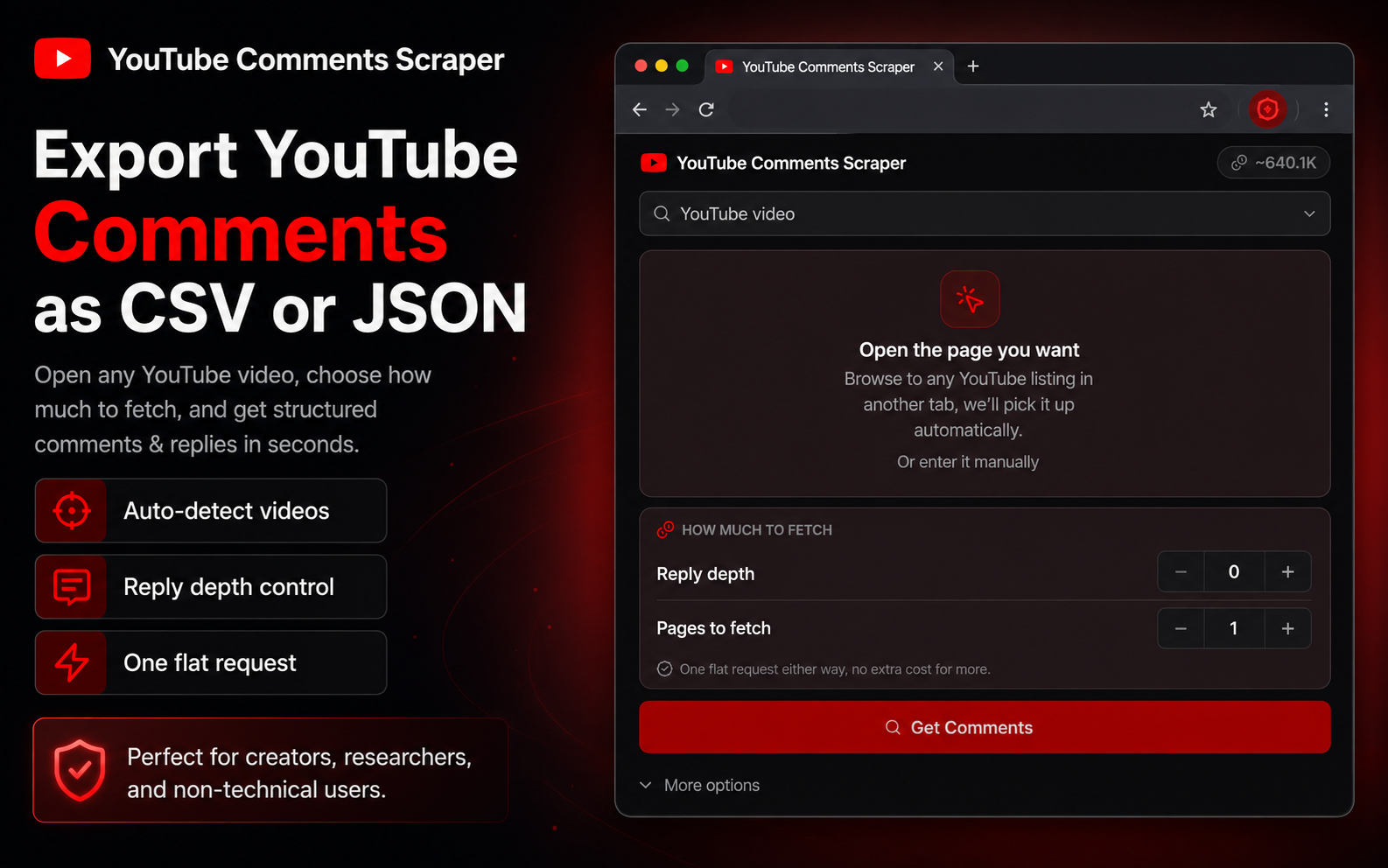
Install YouTube Comments Scraper
Free on the Chrome Web Store. No Google Cloud project, no OAuth consent screen, no API key.
- 2
Open it on any public video
The side panel auto-fills the video you're watching, or paste any public video URL.
- 3
Choose sort and reply depth
Sort by top or newest, and set depth — 0 for top-level comments only, higher to pull the reply threads underneath.
- 4
Export to CSV or JSON
One click writes the five columns below, with nested replies included when depth is above 0.
What you get back
username,comment,likes,hasReplies,date
@marcusbuilds,"The section at 4:12 finally made subnetting click for me.",1842,true,"2 days ago"
@priya.codes,"Would love a follow-up on the migration path from v2.",417,true,"1 day ago"
@quietcoder99,"Timestamps in the description would help a lot.",96,false,"3 days ago"
@dev_anna,"Second this — the v2 migration is the part everyone gets stuck on.",58,false,"1 day ago"| Field | What it holds |
|---|---|
username | Comment author handle, including the @ |
comment | Full comment text |
likes | Like count at time of export |
hasReplies | Whether the comment has a reply thread beneath it |
date | Relative date string, e.g. "2 days ago" |
nestedReplies | The reply thread itself, same shape, recursive — returned when depth is above 0 |
What creators actually use this for
Feedback audits
Pull comments across your last 10-20 uploads and search for repeated requests. Recurring asks buried at 30 likes never surface in the Top sort but show up instantly in a spreadsheet.
Community management
Export weekly to catch questions and confusion that YouTube's default ranking hides beneath the same few high-like comments.
Competitive research
Pull comments on a top creator's video in your niche. Their audience states what they want in plain language, unprompted.
Launch sentiment
Comments react within hours, faster than reviews or surveys. Export right after a launch video for the earliest read you can get.
Automating it with the API
For channel-wide sweeps or scheduled pulls,
FetchLayer's YouTube Comments API is a single POST /youtube/comments endpoint taking a video URL, a sort order, a reply depth, and a page count.
curl -X POST https://api.fetchlayer.dev/youtube/comments \
  -H "Authorization: Bearer $FETCHLAYER_KEY" \
  -H "Content-Type: application/json" \
  -d '{
    "videoUrl": "https://www.youtube.com/watch?v=dQw4w9WgXcQ",
    "sort": "top",
    "depth": 1,
    "pages": 3
  }'
From Node, finding the most-liked comment on a video:
const res = await fetch("https://api.fetchlayer.dev/youtube/comments", {
  method: "POST",
  headers: {
    "Authorization": "Bearer " + process.env.FETCHLAYER_KEY,
    "Content-Type": "application/json",
  },
  body: JSON.stringify({
    videoUrl: "https://www.youtube.com/watch?v=dQw4w9WgXcQ",
    sort: "top",   // or "newest"
    depth: 1,      // 0 = top-level only
    pages: 3,      // each page is one scroll for more comments
  }),
});

const comments = await res.json();
const mostLiked = comments.sort((a, b) => b.likes - a.likes)[0];
console.log(mostLiked.username, mostLiked.likes, mostLiked.comment);
No Cloud project, no quota units to budget, and you pay for the call rather than the size of the response — a video with 5,000 comments costs the same per page as one with 50.
Reading comments inside an AI agent
Comment analysis is mostly thematic clustering, which is what LLMs are good at. FetchLayer's MCP server exposes the endpoint as a native tool, so Claude, Cursor, or Windsurf can pull a video's comments and summarise them without an export step in between:
{
  "mcpServers": {
    "fetchlayer": {
      "url": "https://mcp.fetchlayer.dev",
      "headers": {
        "Authorization": "Bearer sk-..."
      }
    }
  }
}
Frequently asked questions
Do I need a Google Cloud project or API key to download YouTube comments?
Not with a browser extension. YouTube Comments Scraper works from the video page with no Google Cloud project, no enabled API, and no key. That setup is only required if you call YouTube's official Data API v3 yourself, which also means creating credentials and, if you distribute the tool to others, passing OAuth consent screen review.
What are the YouTube Data API quota limits?
A Google Cloud project gets a default allocation of 10,000 quota units per day shared across endpoints. A commentThreads.list call costs 1 unit and a comments.list call costs 1 unit, so the ceiling is generous for light use but real once you pull deep reply threads across many videos, since replies require additional calls per thread. FetchLayer bills per request instead, with no daily quota to manage.
Can I only export comments from my own channel?
No. It works on any public video — yours, a competitor's, or any creator you're researching. Comments on public videos are visible to anyone watching, so there is no ownership requirement.
Does it pull nested replies or only top-level comments?
Both, controlled by a depth setting. Depth 0 returns top-level comments only. Above 0, each comment carries its reply thread in a nestedReplies field with the same structure, so a back-and-forth stays readable in the export.
What does an export cost?
The extension is free to install and accounts start with 30 free FetchLayer requests. Beyond that it's $1.99 per 1,000 requests, or $0.00199 each, with credits that never expire. Billing is per call rather than per comment, so a video with 5,000 comments costs the same per page as one with 50.
What about members-only or held-for-review comments?
Only comments visible on the public video page can be exported. Comments sitting in a creator's moderation queue, or on members-only videos, aren't publicly visible and are out of scope.
Ready to export some comments?
Get YouTube Comments Scraper for Chrome, free, works on any public video.
Get YouTube Comments Scraper