App Store · Guide
How to Analyze App Store Reviews Without a Developer Account
The reviews worth reading usually belong to someone else's app. Here's how to get them.
By Alex P ·Published August 14, 2026·7 min read
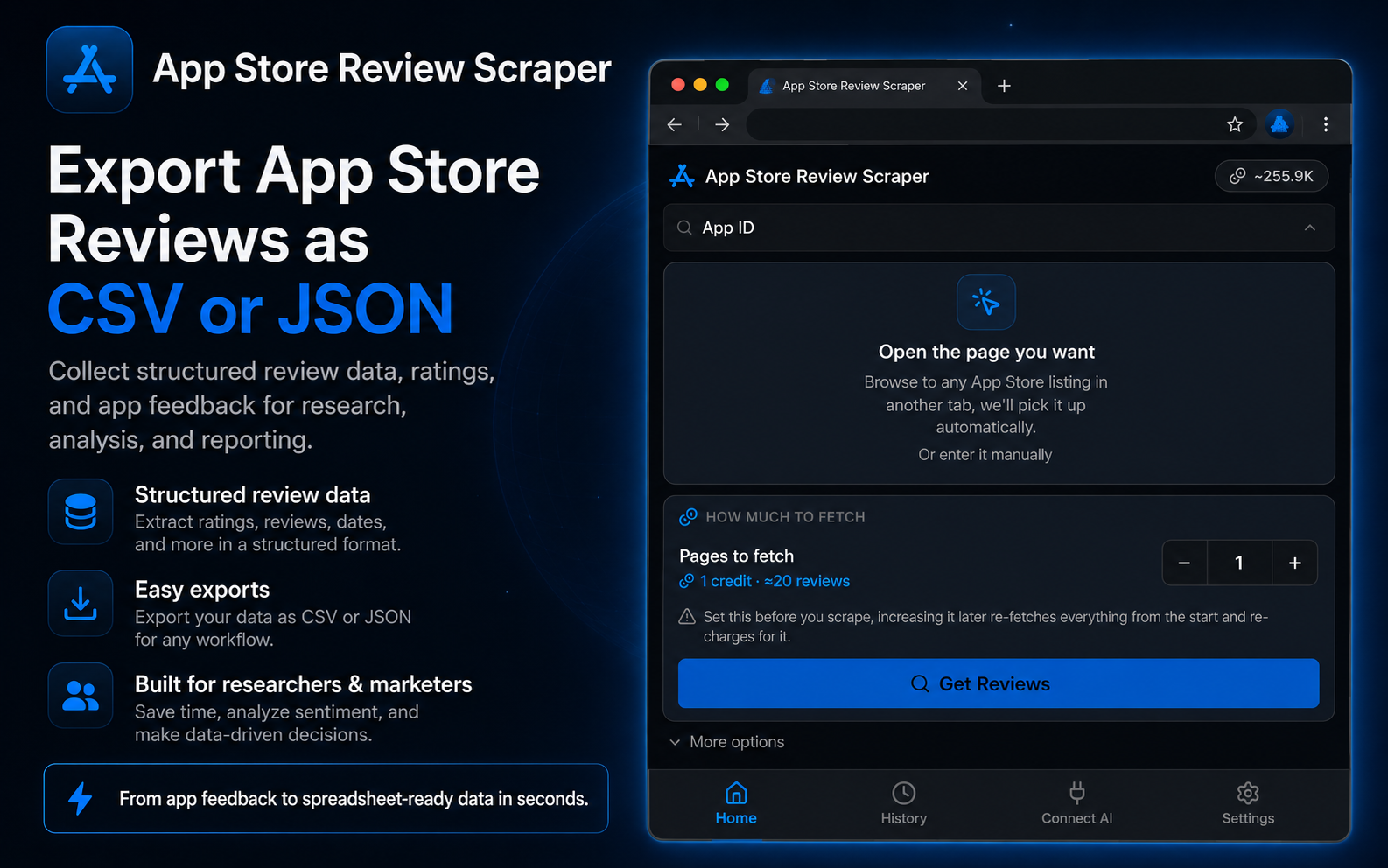
Short answer: you don't need an Apple Developer account to read App Store reviews — that requirement only applies to App Store Connect, which is limited to apps you publish. For any public listing, use the free App Store Review Scraper extension, or FetchLayer's App Store Reviews API to automate it.
- Fields per review
- 8
- Reviews per page
- Up to 20
- Developer account
- Not required
- API cost
- $1.99 / 1,000
The four options compared
| Method | Competitor apps? | Credentials | Export | Volume | Best for |
|---|---|---|---|---|---|
| Scrolling the App Store listing | Yes | None | None | A page at a time | A quick gut check |
| App Store Connect | No — your apps only | Apple Developer | Limited | All your reviews | Managing apps you publish |
| App Store Review Scraper (Chrome) | Yes | None | CSV or JSON | 20 per page, paginated | One-off competitive pulls |
| FetchLayer App Store API | Yes | Bearer token | JSON | Paginated, billed per page | Recurring tracking, AI pipelines |
The developer account myth
Most people assume reading App Store reviews programmatically requires an Apple Developer account, because that's true of App Store Connect. But App Store Connect is a publisher dashboard: it shows reviews for apps registered under your account and nothing else. It was never a gate on reading reviews generally, and reviews on a public listing are visible to anyone who opens it.
That distinction is the whole ballgame for competitive research. Your own reviews tell you what your users think. Your competitors' reviews tell you what their users are about to leave over, which is a much more useful input to a roadmap.
Pulling reviews in four steps
- 1
Install App Store Review Scraper
Free on the Chrome Web Store. No Apple Developer account and no app ownership required.
- 2
Find the app — yours or a competitor's
Search by name or paste the App Store listing URL. Reviews on public listings are visible to anyone, so there's no ownership check to pass.
- 3
Pick storefront and depth
Reviews are scoped per country, so choose the storefront you care about and how many pages to pull. Each page holds up to 20 reviews.
- 4
Export and bucket
Download CSV or JSON with the eight fields below, then sort into themes: bugs, requests, pricing, praise.
What the export contains
id,rating,title,author,version,date,helpfulCount,body
10938221,1,"Crashes on launch since 4.2",mkelly_88,4.2.0,2026-08-03T09:12:44Z,214,"Worked fine for a year. Since the 4.2 update it closes instantly on open."
10938455,2,"Where did offline mode go?",trailrunner_x,4.2.0,2026-08-03T11:40:02Z,168,"Removing offline sync broke the one feature I paid for."
10938902,5,"Still the best in class",dana.writes,4.1.8,2026-08-01T18:55:19Z,41,"Fast, clean, and the widget is genuinely useful."
10939117,3,"Good app, rough subscription",jpark_dev,4.2.0,2026-08-04T07:22:36Z,97,"Great product but the paywall appears three taps in now."| Field | What it holds |
|---|---|
id | Unique review identifier |
rating | Star rating, 1 to 5 |
title | Review headline |
body | Full review text |
author | Reviewer display name |
version | App version being reviewed — the key column for bug triage |
date | ISO 8601 review date |
helpfulCount | How many users marked it helpful |
Turning the file into a roadmap
A CSV of reviews is not insight until it's bucketed. Four passes that work on your own app and a competitor's alike:
Bugs and crashes
Filter rating <= 2 and search for "crash", "freeze", "won't load". Then group by version — a spike concentrated in one version number is a regression, not an opinion.
Feature requests
Search 3-4 star reviews for "wish", "needs", "would be great if". These come from engaged users who haven't churned yet, which makes them the highest-signal group in the file.
Pricing friction
Search for "expensive", "subscription", "free trial", "cancel" to find where pricing is costing retention and star rating.
Competitive gaps
Run the same searches on a competitor's appId. What their users wish existed is a roadmap you didn't have to run research for.
Re-run the same pull every few weeks. A shift in a competitor's review sentiment right after one of their releases is one of the earliest, cheapest signals you'll get that they shipped something that landed.
Automating it with the API
For recurring tracking across several apps,
FetchLayer's App Store Reviews API covers the same data with two endpoints: /appstore/search to resolve an app by name, and /appstore/reviews to pull its reviews.
curl -X POST https://api.fetchlayer.dev/appstore/reviews \
  -H "Authorization: Bearer $FETCHLAYER_KEY" \
  -H "Content-Type: application/json" \
  -d '{
    "appId": "284882215",
    "country": "us",
    "pages": 5,
    "reviewsPerPage": 20,
    "sort": "recent"
  }'
Chaining both to go from a competitor's name to their reviews:
// 1. Resolve a competitor by name to get its App Store ID
const search = await fetch("https://api.fetchlayer.dev/appstore/search", {
  method: "POST",
  headers: {
    "Authorization": "Bearer " + process.env.FETCHLAYER_KEY,
    "Content-Type": "application/json",
  },
  body: JSON.stringify({ query: "habit tracker", country: "us" }),
});

const { results } = await search.json();
const competitor = results[0];

// 2. Pull their most recent reviews
const reviews = await fetch("https://api.fetchlayer.dev/appstore/reviews", {
  method: "POST",
  headers: {
    "Authorization": "Bearer " + process.env.FETCHLAYER_KEY,
    "Content-Type": "application/json",
  },
  body: JSON.stringify({ appId: competitor.id, country: "us", pages: 5 }),
});

console.log(competitor.name, await reviews.json());
Billing is one credit per page actually fetched, and the response reports pagesFetched so you can reconcile it. At $1.99 per 1,000 requests, a weekly 100-review pull across five competitor apps costs a few cents a month.
Feeding reviews to an AI agent
Review analysis is a natural fit for an LLM — it's thematic clustering over unstructured text. FetchLayer's MCP server exposes these endpoints as tools, so Claude, Cursor, or Windsurf can fetch and summarise reviews without you writing an export step:
{
  "mcpServers": {
    "fetchlayer": {
      "url": "https://mcp.fetchlayer.dev",
      "headers": {
        "Authorization": "Bearer sk-..."
      }
    }
  }
}
Frequently asked questions
Can I read reviews for an app I don't own or publish?
Yes. App Store reviews are public content visible to anyone browsing the listing. The developer account requirement people remember applies to App Store Connect, Apple's own dashboard, which only surfaces reviews for apps registered under your account. It is not a restriction on reading public reviews, which is why competitor analysis is possible at all.
How is this different from App Store Connect?
App Store Connect is Apple's official tool and it is genuinely good, but it is scoped to apps you publish. App Store Review Scraper and the FetchLayer App Store API both work against any public listing, which is the difference that matters when the reviews you most want to read belong to a competitor.
What fields does the export include?
Eight per review: id, rating, title, body, author, version, date, and helpfulCount. The version field is the one people overlook — grouping low ratings by app version is the fastest way to distinguish a genuine regression from general grumbling.
Are reviews different across countries?
Yes. App Store reviews are scoped per storefront, so the same app can show materially different feedback in the US, UK, or Japan. Both the extension and the API take a two-letter country code, and it's worth pulling more than one storefront if you're doing localization or market research.
How many reviews can I pull, and what does it cost?
Reviews come back up to 20 per page, and you choose how many pages to fetch. Through the FetchLayer API, billing is one credit per page actually retrieved — the response includes a pagesFetched value so you're never charged for pages that returned nothing. At $1.99 per 1,000 requests, pulling 100 reviews (5 pages) costs about a cent. Every account starts with 30 free requests.
Does this work for Google Play?
No. App Store Review Scraper and FetchLayer's appstore endpoints cover Apple's App Store. Google Play has a different review surface and would need separate tooling.
Ready to pull some reviews?
Get App Store Review Scraper for Chrome, free, works on any public listing.
Get App Store Review Scraper